
Windows 11 Home Vs Pro Pricing: Uncover Key Differences

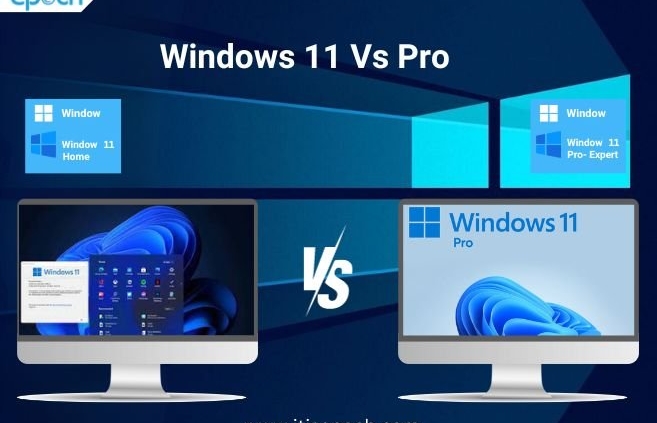
Windows 11 is the new kid on the block. It’s fresh and exciting. But, it comes with choices. Two main versions are available: Home and Pro. Each has different features. Each has different prices. Let’s explore these differences.
Understanding Windows 11 Versions
Microsoft offers two popular versions. Windows 11 Home and Windows 11 Pro. Home is for everyday users. Pro is for business people. Both versions help you do your tasks. But, each has unique features. These features affect pricing. Let’s look closer.
Windows 11 Home: What’s Inside?
Windows 11 Home is simple. It has basic tools. It includes a new Start menu. A fresh design. Snap layouts help you manage windows. Widgets give quick news updates. Home version is great for families and students. It has what you need for daily tasks.
Windows 11 Pro: What’s Inside?
Windows 11 Pro is strong. It has more tools. It includes everything from Home. Plus, it has extra features. BitLocker for security. Remote Desktop for easy access. Pro version is perfect for businesses. It helps keep data safe. It supports many devices.

Pricing: Windows 11 Home Vs Pro
Let’s talk money. Price is important. Windows 11 Home is cheaper. Windows 11 Pro costs more. Why? Pro has more features. Extra features mean extra cost. But, prices can change. Sales happen. Discounts appear. Always check for deals.
| Version | Price (Approximate) |
|---|---|
| Windows 11 Home | $139 |
| Windows 11 Pro | $199 |
Which Version Should You Choose?
Choice depends on need. Home is good for simple tasks. Browsing and watching videos. Pro is better for work. Managing many files. Connecting to networks. Think about your needs. Decide based on what you do. Choose the version that fits you.
Features That Affect Price
Features make a big difference. Windows 11 Home has basic features. It supports basic apps. It includes new designs. But, Windows 11 Pro has extra features. These features help businesses. They protect data. They make work easier. More features mean higher price.
- BitLocker: Pro version includes BitLocker. It keeps data safe.
- Remote Desktop: Pro version allows remote access. Connect to your computer from far away.
- Advanced Security: Pro has extra security tools. They protect business data.
- Device Management: Pro supports many devices. Manage them easily.
Ease of Use for Each Version
Both versions are easy to use. Windows 11 Home is simple. It has user-friendly designs. Windows 11 Pro is also easy. But, it has more tools. More tools mean more learning. If you need easy use, choose Home. If you need extra features, choose Pro.
Who Should Buy Windows 11 Home?
Windows 11 Home is for home users. It’s for families and students. It’s for basic tasks. Browsing, gaming, watching videos. Home version is cheaper. It fits simple needs. If you don’t need advanced features, choose Home.
Who Should Buy Windows 11 Pro?
Windows 11 Pro is for business users. It’s for professionals. It’s for advanced tasks. Managing data and devices. Pro version costs more. But, it offers more. If you need extra tools, choose Pro. If you manage networks, choose Pro.
Conclusion: Choosing Between Windows 11 Home and Pro
Deciding between Windows 11 Home and Pro is important. Think about your needs. Consider the features. Consider the price. Windows 11 Home is good for simple tasks. Windows 11 Pro is great for business. Choose the version that helps you best.
Check for deals before buying. Sometimes, prices change. Look for discounts. Save money. Buy the version that fits your budget and needs.
Final Thoughts
Windows 11 Home and Pro both offer value. They help you do tasks well. Choose wisely. Think about what you need. Enjoy using Windows 11. It’s a great tool for everyone.
Frequently Asked Questions
What Are The Key Differences Between Windows 11 Home And Pro?
Windows 11 Pro offers advanced security features. It also supports remote desktop and device management.
Is Windows 11 Pro More Expensive Than Home?
Yes, Windows 11 Pro is generally more expensive. It offers additional features for business use.
Can I Upgrade Windows 11 Home To Pro?
Yes, you can upgrade. An upgrade key is required for Windows 11 Home to Pro.
Does Windows 11 Pro Have Better Security Features?
Yes, Windows 11 Pro includes BitLocker and Windows Information Protection. These are advanced security features.
You May Like To Read:
- Gaming Laptop Price Vs Performance: Ultimate Guide
- Best 5G Smartphone under $500: Unbeatable Value Choices
- AI-Powered Devices: Transforming Everyday Life
- Macbook Air Vs Dell Xps: Ultimate Laptop Showdown
- Budget Gaming Laptops 2025: Top Picks for Gamers
- AI Future Trends: What to Expect in the Next Decade
- Best Laptop Repair Cost Estimates: Save Money Today
- Wearable Health Devices for Seniors
Comments are closed.